Harvest More Sales: Best Digital Tools for Running a Farmer’s Market Stand
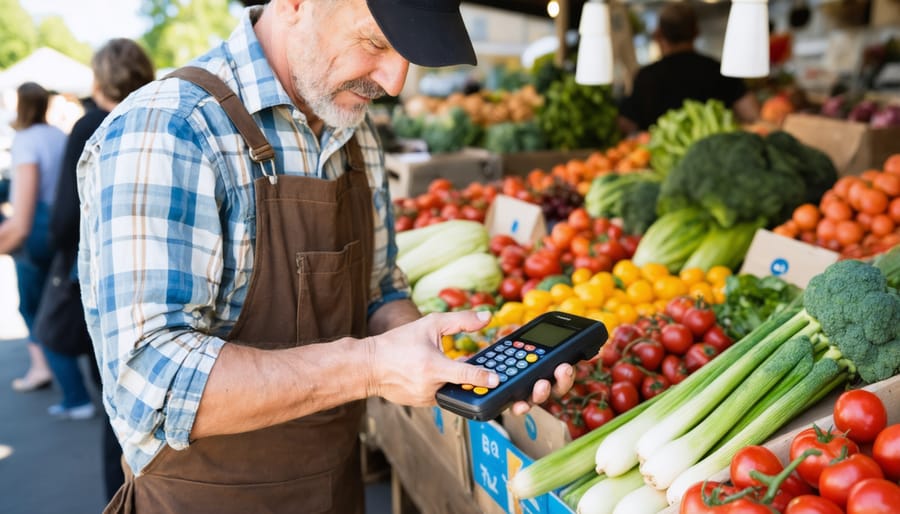
A farmer’s market stand is a fast-moving micro–retail business: you’re managing inventory, pricing, payments, repeat customers, and weather risk—often with one or two people and limited time. The right digital tools reduce chaos by speeding up checkout, preventing stockouts, capturing customer info, and turning one-time shoppers into regulars. They also help you document costs and sales so you can make smarter crop/product decisions week to week. Below are practical, widely used platforms that are active today and built to support in-person selling.
Tip 1: Run Smooth Checkout Anywhere with Square Point of Sale
Square Point of Sale is a strong fit for market stands because it supports tap/chip payments and keeps checkout simple on a phone or tablet. A key advantage for outdoor markets is planning for connectivity issues—Square offers an Offline Mode workflow so you can keep selling if your signal drops.
Use item-level buttons (by category: produce, eggs, flowers, baked goods) so new helpers can ring up fast without memorizing prices. Set up modifiers for common variations (half-dozen vs dozen, small vs large bundle) so you’re not doing mental math under pressure. After the market, review your top sellers and your slow movers to adjust next week’s harvest mix and prep volume.
Fast setup checklist
- Build 10–25 “core items” as buttons, grouped by category
- Add modifiers for bundle sizes and add-ons
- Turn on receipts (text/email) for proof and follow-up
- Decide your offline-payment settings before market day
Tip 2: Add Preorders and Inventory Sync with Shopify POS + Online Store
If you want to sell beyond Saturday morning, Shopify POS plus an online storefront can help you take preorders for pickup and reduce guesswork on demand. Shopify positions its POS to sell in person, at events, and online while keeping core data in sync.
This setup is especially useful for items that sell out early—customers can reserve seasonal boxes, bouquets, or weekly shares ahead of time. Keep your online menu narrower than your full offering: feature reliable staples and a rotating “limited harvest” section so you don’t oversell. Use inventory counts as guardrails, not perfection—update your numbers after each market until your routine is consistent. If you do multiple markets, create location-based availability rules so you don’t promise the same batch in two places.
Preorder checklist
- Create 10–15 “preorder-friendly” products first
- Set pickup windows and clear cutoff times
- Use inventory counts to prevent overselling
- Keep one “limited” category for seasonal drops
Tip 3: Stop Losing Track of Stock with Airtable or Sortly
Market inventory is messy because it changes by the hour—what matters is having a simple system that’s quick to update and easy to trust. Airtable templates can give you a structured tracker (items, quantities, harvest dates, batch notes) that’s more flexible than a basic spreadsheet when you want views, filters, and linked records.
Sortly is a good option if you prefer mobile-first inventory and want built-in barcode/QR scanning to speed up counts and restocks. (Sortly)
A unique tactic for farmers’ markets is tracking “prep units” and “sell units” separately (e.g., you prep 40 bunches, but sell in 1-bunch and 2-bunch bundles), which clarifies what actually moved. Add one field for “waste/seconds” so you can improve harvesting and packing decisions over time without guessing. Keep it lightweight: you’re building a repeatable habit, not a perfect database.
Inventory checklist
- Track prep quantity, sold quantity, and leftover quantity
- Log a simple “reason” on leftovers (price, weather, timing)
- Use barcodes/QR only for your top 20 items at first
Tip 4: Keep Books Market-Ready with QuickBooks Online
Farmer’s market profit can disappear in small leaks—fees, packaging, fuel, ice, tent repairs—so clean bookkeeping matters more than many vendors expect. QuickBooks Online is built to manage small business finances in the cloud, which helps when you’re reconciling sales and expenses from your phone after a long market day.
The best workflow is simple: categorize expenses weekly, not monthly, so you don’t forget what “$18.47” was for. Track market fees as their own category so you can evaluate which markets are truly worth it. If you do wholesale plus markets, separate those income streams so you can see what’s paying you better per hour. Before tax time, your goal is not “perfect accounting,” it’s clean, consistent records that match reality and help you decide where to invest next.
Finance checklist
- Create categories for fees, packaging, fuel, and supplies
- Reconcile transactions weekly
- Separate revenue streams (market vs wholesale vs online)
- Save receipts and attach notes while you still remember
Tip 5: Turn One-Time Shoppers into Regulars with Square Loyalty + Email
Markets reward repeat customers: they spend faster, trust new products, and bring friends. Square Loyalty can track points and rewards, and Square notes that loyalty integrates with Square Email Marketing so you can message customers and drive repeat visits.
The most effective approach is a simple reward tied to your product economics (e.g., “every 8th purchase earns $X off” or “bonus points on slow-moving items”). Collect phone/email only with clear consent and a clear benefit—like early access to limited harvest drops or preorder reminders. If you prefer an independent email platform, Mailchimp is an established option for building a list and sending campaigns.
Keep messages practical: what’s available this week, when to arrive for best selection, and one featured item with a short story about why it’s special.
Retention checklist
- Offer one simple loyalty reward (don’t overcomplicate)
- Send one weekly “what’s fresh” message
- Promote one slow mover with a recipe idea
- Add a preorder link for peak-season weeks
Tip 6: Run Market Day Like a System with Google Sheets + Trello + Weather.gov
You don’t need fancy operations software—what you need is a repeatable routine that survives early mornings and last-minute changes. Google Sheets is great for a running “market pack list” (inventory targets, supplies, pricing) that you can update from any device and share with helpers.
Trello works well for recurring workflows like “Harvest → Wash → Pack → Load → Sell → Reconcile,” especially when multiple people are involved.
For weather decisions that directly affect demand and product condition, the National Weather Service (weather.gov) is a reliable source to check forecasts and alerts.
A unique habit is writing a one-line post-market debrief in your board or sheet: “What sold out first, what surprised us, what we’d change next week.” That single line compounds into better forecasting over a season.
Ops checklist
- Maintain one shared pack list and update weekly
- Use a Trello checklist for setup and teardown
- Check the NWS forecast the night before and morning of
- Record a one-line debrief after every market
Card Design FAQ for Farmer’s Market Stand Owners
Cards can do a lot of quiet work at a market stand: they help customers remember you, return next week, and share your info with friends. The goal is simple—make your card easy to read, easy to keep, and easy to act on. Good card design tools also prevent common print mistakes like blurry logos, cramped text, or cut-off edges. You’ll get the best results when you choose one clear purpose per card: contact info, loyalty/punch, or a short “how to order” card. Decide your primary action (scan a QR code, text a number, visit a site) and design around that, not around decoration. The questions below focus only on card design choices and where to create them.
1) What card size and layout works best for a market stand “contact + reorder” card?
For most stands, a standard wallet-size card is easiest for customers to keep, and a clean front/back layout prevents clutter. Put your stand name, product type, and a single primary action on the front, then place hours/markets and secondary details on the back so the card scans quickly.
2) Which online tool is the fastest way to design a clean card from a template?
Adobe Express offers a card maker with templates and quick editing, which is ideal if you want something polished without design software experience. To start quickly, use the print free cards option from Adobe Express and prioritize readable type and a strong contrast between text and background.
3) Where should I go for premium print quality if I want cards that feel “high-end”?
MOO is known for online design/print options and premium paper stocks, which can be worth it if you’re positioning your products as artisan or gift-grade. Ordering a small test batch first helps you confirm color accuracy and readability before you print in volume.
4) What’s a reliable option for lots of templates and quick ordering at scale?
VistaPrint offers many customizable business card templates and a straightforward ordering flow, which is useful when you need quantity fast for busy seasons. Keep your design consistent across runs by saving your final file and only changing seasonal details (like market dates) when necessary.
5) How do I design cards that match label stickers and packaging for a cohesive look?
Avery provides templates and Design & Print tools for labels and cards, which makes it easier to keep fonts, colors, and spacing consistent across packaging elements. If your cards and labels share the same visual system, customers recognize you faster—and your booth looks more trustworthy even before someone tastes a sample.
A farmer’s market stand runs best when you treat it like a repeatable retail system: fast checkout, clear inventory, consistent records, and reliable follow-up. Start by choosing one POS tool and one tracking tool, then layer marketing and operations only after your basics feel stable. The strongest digital setups are the ones that work outdoors, under time pressure, with minimal training for helpers. When your tools are dialed in, you waste less product, capture more repeat customers, and make better decisions about what to grow or produce next. Over the season, those small improvements compound into steadier revenue and calmer market mornings. Keep the focus unified: sell smoothly, track truthfully, follow up simply, and make it easy for customers to come back next week.